A free, FluidNC- and GRBL-ready alternative to FoamCut
cncfoam.com runs entirely in your browser, needs no signup, and streams G-code straight to your ESP32/FluidNC or GRBL controller over USB or Wi-Fi. 2–5 axis. No export limits, no licence keys, no subscription.
Free · No signup · FluidNC + GRBL · Built by a real maker ↗
Built by Pete Scheepens, the maker behind FoamCube — shipping hot-wire machines since 2015. Read the story →
Same job, different deal
Both tools turn your design into G-code for a hot-wire cutter. The difference is the deal: FoamCut gates exports after a 5-file trial, then charges €50–150/year (or €100–400 "lifetime"). cncfoam is free, with no export cap and no account — and it connects natively to both FluidNC/ESP32 and plain GRBL controllers.
cncfoam vs FoamCut, at a glance
| Feature | cncfoam.com | FoamCut |
|---|---|---|
| Price | Free — no cap | 5-export free trial, then €50–150/yr or €100–400 lifetime |
| Signup / account | Not required | Account + licence key |
| Runs in browser | Yes | Yes |
| Controller support | FluidNC/ESP32 + universal GRBL, USB & Wi-Fi | GRBL / Web Serial |
| Axes | 2–5 axis | 2–4; 5th axis on top paid tier |
| Built-in shape generators | Yes — NACA wings, ambigrams, gears, hypar, helical, text, panels | Import / draw only |
| DXF / SVG import | Yes | Yes |
| 3D preview | Yes | Yes |
| Offline desktop build | Not currently | Yes (Win/Mac/Linux) |
| Who's behind it | Pete Scheepens — public track record since 2014 | No company or contact listed |
Per FoamCut's public site, June 2026; EUR for convenience. Names and trademarks belong to their respective owners.
Where FoamCut genuinely leads: it ships an offline desktop app (Windows/Mac/Linux) for cutting without an internet connection, and its 4-axis wing-taper workflow is mature and well-proven. If an offline native app is a hard requirement, FoamCut is a solid choice. For everyone else — free, cross-platform, FluidNC and GRBL, with built-in generators — cncfoam is the better deal.
Real cuts, not renders
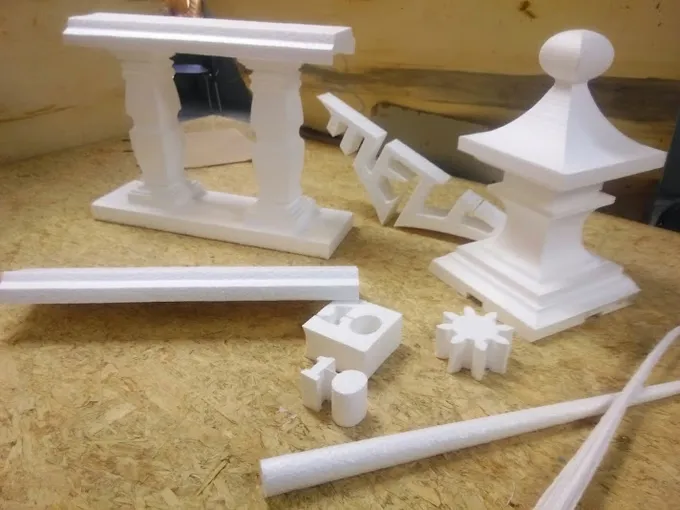
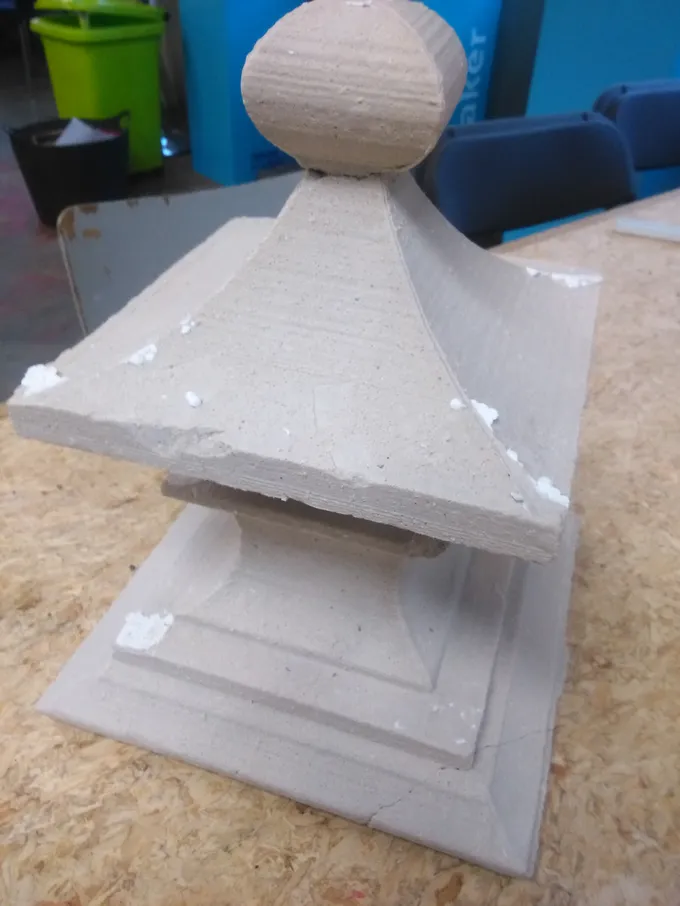
cncfoam is built by a maker who has shipped hot-wire machines since 2015 — here's the proof in foam:
Frequently asked questions
Is cncfoam really free?
Yes. The full tool is free — there is no export limit, no account requirement, and no paid tier gating the G-code. You can design or import a shape, preview it in 3D, and download or stream the G-code without paying or signing up.
How is cncfoam different from FoamCut?
Both turn your design into G-code for a hot-wire cutter. The difference is the deal and the connectivity: cncfoam is free with no signup, connects natively to FluidNC/ESP32 and to plain GRBL controllers, includes built-in shape generators, and supports up to 5 axis. FoamCut is subscription-based after a 5-export trial and targets generic GRBL / Web Serial controllers.
Does cncfoam work with FluidNC?
Yes, natively. It streams G-code straight to an ESP32 running FluidNC over USB or Wi-Fi — no separate sender application needed.
Does it work with plain GRBL?
Yes, over USB via Web Serial. cncfoam speaks the GRBL 1.1 protocol, so a generic grbl controller (including common XYUV foam-cutter forks) works.
Do I have to install anything?
No — cncfoam runs entirely in your browser, on any OS. (FoamCut does offer an offline desktop app, which is genuinely useful if you cut without internet access.)
Does cncfoam do 5-axis / rotary?
Yes, as part of the free tool: 2–5 axis including indexed rotary cuts. FoamCut reserves its 5th axis for its top paid tier.